Every fact on this page applies to update v65536, the one version tested. Other versions may behave differently.
No emulator needed: Nintendo Switch Sports Resort runs natively on the Apple chip. How nxnative compares with emulators
How Nintendo Switch Sports Resort runs
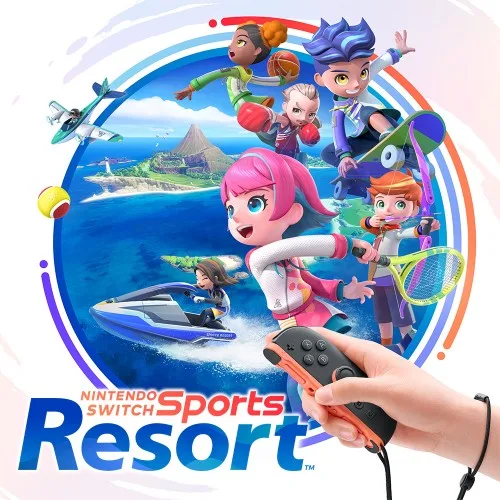
Nintendo Switch Sports Resort runs on the Mac at 60 fps, from the safety screens to a doubles tennis match. It needs a motion controller to play: a tester played matches with a Joy-Con 2 and a DualSense on an M2 Max Mac over a 37-minute session, and a pair of original Joy-Cons now works as a motion controller on the Mac too. No iPhone or iPad app has been built yet.
How it runs
On an M6 Mac, the safety and strap screens, the title, Select User, the sport menu and Tennis's settings lead into a doubles match at 60 fps, with steady 16.67 ms frames in a window. A second start loads the save.
The game reads motion controls for every swing, so without a motion controller a point cannot be played: the racket follows scripted moves, but the serve prompt stays. The tester's matches with motion controls were played on a build with their own version of the changes the game needed.
When the Mac window loses focus, the game pauses.
Bring update v65536
Tested with update v65536 over the base game, packed from a folder of the game's files, as for every Switch 2 game. The update's display version is not known.
Controls
The Packed app starts in the 2D touch layout (left stick, face buttons, shoulders, minus and plus). The gear at the top centre opens the in-game menu, where Controller layout switches layouts, and the app remembers your choice.
- A presses go through the title, Select User, Tennis's match settings and the court into a doubles match, about 2 minutes from a save.
- The game supports a pair of Joy-Con or handheld play only, so a keyboard, a DualSense or a single Joy-Con is shown to the game as a Joy-Con pair.
- A pair of original Joy-Cons gives motion controls on the Mac: macOS does not pass on their motion sensors, so nxnative reads them itself. Archery, Boxing, Table Tennis, Thumb Wrestling and Bowling play with them, and a 22-minute Boxing session at 60 fps threw no punches while the player held still. A pair dropped out once mid-session, possibly from a low battery.
Good to know
- Two-player sessions used to crash a few minutes in, in Avioneta or on leaving the skate practice zone. That is fixed: a player then played 11 minutes of two-player skate and Avioneta on an M2 Max Mac with no crash.
- Docked, the game draws at 2560x1440 and lowers its resolution, down to 854x480, when it judges the GPU busy. In a table tennis match on an M2 Max Mac it used to sit at the lowest sizes for minutes without the GPU working any harder. nxnative now reports the GPU's time the way the game expects, and the match held full size in 92% of its frames, or 99.4% with MetalFX chosen as the upscaler.
- A full Mac shader build takes about 9 minutes on an M6.
Known issues
- A point cannot be served without a motion controller: buttons, the keyboard and scripted moves do not serve.
- No iPhone or iPad app has been built or tested yet.
- Tennis, Archery, Boxing, Table Tennis, Thumb Wrestling and Bowling have been played, and a player has also played two-player skate and Avioneta; the other sports are untested. Tennis has not been played again with original Joy-Cons since a change to how they are read.
- One session with original Joy-Cons crashed in the game's own code after about 14 minutes. It has not happened again, and whether the motion controls had anything to do with it is not known.
- Mii heads do not appear unless nxnative is given the Mii data from the player's own Switch 2. With it, a test drew the heads, but not on the current version of nxnative.
- Six shaders for the sea cannot be built for the Mac. No tested scene has used them.
Packing command
Run this in your nxnative folder on the Build Mac. Replace the game path with your .nup file or the folder of the game's files. It builds a Mac app, the only kind tested so far; leave out --platform mac-app for an iPhone and iPad app, which is untested.
python3 scripts/build_ipa_from_nsp.py ~/Games/nintendo-switch-sports-resort --platform mac-appFAQ
Does Nintendo Switch Sports Resort work with nxnative?
Yes. Nintendo Switch Sports Resort is tested with nxnative on update v65536 and runs at 60 fps.
Which iPhone, iPad or Mac do I need to play Nintendo Switch Sports Resort?
Nintendo Switch Sports Resort is a Nintendo Switch 2 Game. So far it has been tested on the Mac only, which needs Apple silicon; an iPhone and iPad app can be packed but is untested. Packing needs a Mac with macOS 26.6 or later and Xcode 27.2.
Is Nintendo Switch Sports Resort included?
No. Neither this site nor nxnative includes any game. You Pack Nintendo Switch Sports Resort from your own copy of the game.
Does online play work in Nintendo Switch Sports Resort?
Online play in Nintendo Switch Sports Resort is not confirmed to work, so do not count on it.