Every fact on this page applies to update 1.0.34.0, the one version tested. Other versions may behave differently.
No emulator needed: Diablo II: Resurrected runs natively on the Apple chip. How nxnative compares with emulators
How Diablo II: Resurrected runs
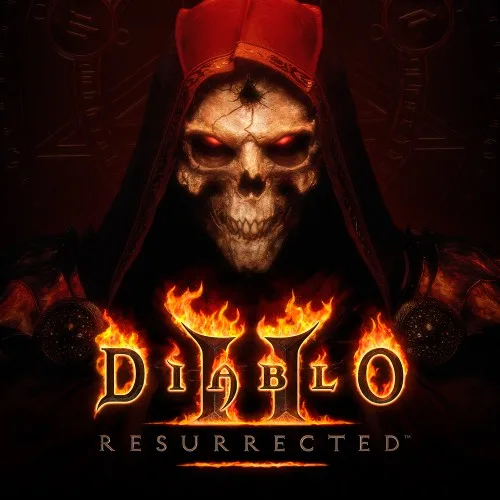
Diablo II: Resurrected plays on the Mac at 60 fps, up from the 30 fps it has on the Switch, and the game still runs at its normal speed. It plays offline without a recent Battle.net login. Tested from a fresh save through the Blizzard logo, the title, the picture calibration screens, the Act I opening cinematic, the main menu, offline hero creation and the Rogue Encampment as a Barbarian: walking, the automap and the camp's palisade and gate, with sound. No iPhone app has been built yet.
How it runs
The game asks for 30 fps, as on the Switch. nxnative runs it at one frame per screen refresh instead, 59 to 60 fps. The game keeps its own clock, so a walk from the camp's start ends at the same place at 30 and at 60 fps.
On the Switch the game allows offline play only within 30 days of a Battle.net login. The Packed app removes that limit, so Offline works from a fresh save. Choosing Online shows "Connection to Battle.net required", as expected.
In the Rogue Encampment the Mac used about 2.8 GB of memory.
Bring update 1.0.34.0
Tested with update 1.0.34.0, with Reign of the Warlock. Put it in the same folder as the base game before you Pack. The base game alone has not been checked.
Controls
The Packed app starts in the 2D touch layout. The left stick moves, A attacks and Minus shows the automap. Holding A for about three seconds skips the opening cinematic.
Good to know
- From a fresh save the title takes about 50 seconds to appear.
- A few frames a minute in the camp are slow, a short hitch: most come from the game's own work, the rest from graphics being prepared on first use.
- No fight has been played yet, and nothing past the camp's gate has been tested.
Known issues
- No iPhone app has been built or tested yet.
- No fight has been played yet; testing stopped at the Rogue Encampment's gate.
- In the Rogue Encampment, about six frames a minute take 80 to 105 ms, a short hitch.
Packing command
Run this in your nxnative folder on the Build Mac. Replace the game folder and the keys path with your own. It builds a Mac app, the only kind tested so far; leave out --platform mac-app for an iPhone and iPad app, which is untested.
python3 scripts/build_ipa_from_nsp.py ~/Games/diablo-ii-resurrected -k ~/keys/prod.keys --platform mac-appFAQ
Does Diablo II: Resurrected work with nxnative?
Yes. Diablo II: Resurrected is tested with nxnative on update 1.0.34.0 and runs at 60 fps.
Which iPhone, iPad or Mac do I need to play Diablo II: Resurrected?
So far Diablo II: Resurrected has been tested on the Mac only, which needs Apple silicon. An iPhone and iPad app can be packed but is untested. Packing needs a Mac with macOS 26.6 or later and Xcode 27.2.
Is Diablo II: Resurrected included?
No. Neither this site nor nxnative includes any game. You Pack Diablo II: Resurrected from your own copy of the game, with keys dumped from your own Switch.
Does online play work in Diablo II: Resurrected?
Online play in Diablo II: Resurrected is not confirmed to work, so do not count on it.