Skip to content
NxNative

Launchers

Launchers are third-party Mac apps that wrap nxnative's command-line packing in a graphical interface, so you can Pack a Game without the terminal.

Launchers are separate community projects, not maintained by the project developers. Report a Launcher's bugs on its own repository, not on the nxnative repository. github.com/seedds/nxnative

Compare Launchers

Each Launcher's features, as stated in its own README.
LauncherSystem requirementsIPA outputPrebuilt releaseLibraryController support
LumaNXApple silicon Mac with macOS 26 or later and full Xcode with Metal. IPA export also needs Xcode's iOS platform and XcodeGen.YesYesYesSwitch Pro, Xbox and PlayStation controllers through Apple's GameController input, with no manual key mapping.
NX PlayApple silicon Mac with macOS 15 or later (an Intel Mac can build IPAs but not run games), Xcode opened once, and Homebrew.YesYesYesA game controller drives the library and Console Mode. Controllers are detected automatically, and extra controllers become extra players.
NX2AppleApple silicon Mac; the app opens on macOS 13 or later. Building needs Xcode with the iOS SDK, and NVN games need Xcode 27.1 on macOS 26.6 or later.YesYesYesA controller drives the launcher and the games, and Console mode turns the library into a full-screen, controller-first menu. On iPhone, Xbox, PlayStation, Switch Pro and MFi controllers replace the touch controls.
NxNative LauncherApple silicon Mac (M1 or later) with macOS 13 or later, and 15 to 20 GB of free space recommended.YesYesYesButton remapping with profiles for Switch Pro, PlayStation and Xbox controllers, keyboard and mouse remapping with a mouse-look camera, and a gamepad-driven library.

Every Launcher

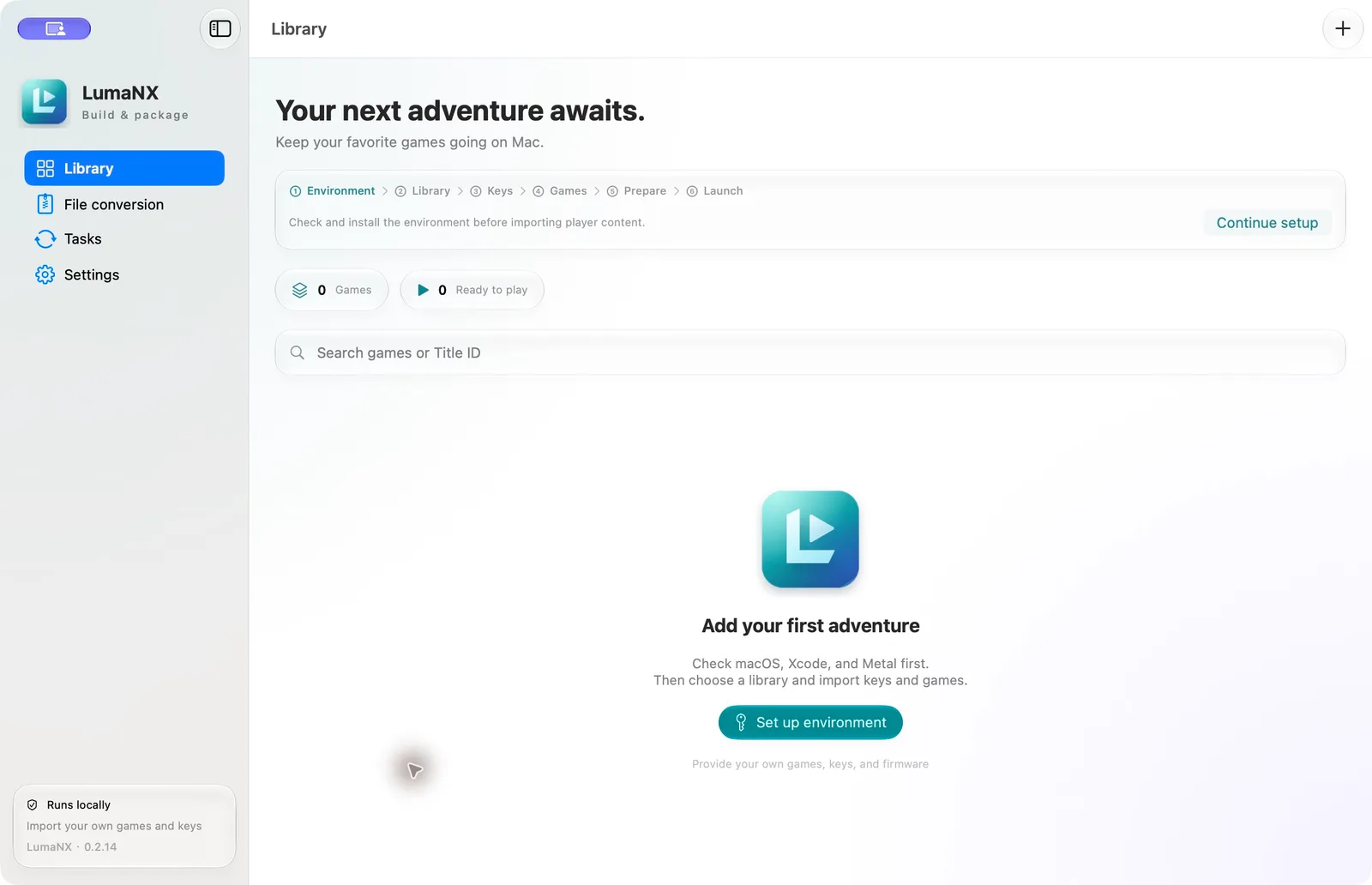
LumaNX's game library in light appearance with an empty test library
Screenshot from the LumaNX repository

LumaNX

Listed by nxnative

Formerly LumaDock

LumaNX (璃游), previously named LumaDock, is a SwiftUI Mac app that bundles the nxnative engine. You add your own base game, updates and DLC, prepare the game, then launch it on the Mac or generate an unsigned iPhone / iPad IPA from the game's details. Builds show progress and support cancellation and retry.

It also backs up and restores saves, switches between prepared engine versions, and converts or merges NSP, XCI, NSZ and XCZ files. The interface is in English and Simplified Chinese. Release DMGs are published on demand rather than daily, use ad-hoc signing and are not notarized. Its README notes that iOS device compatibility has not been validated.
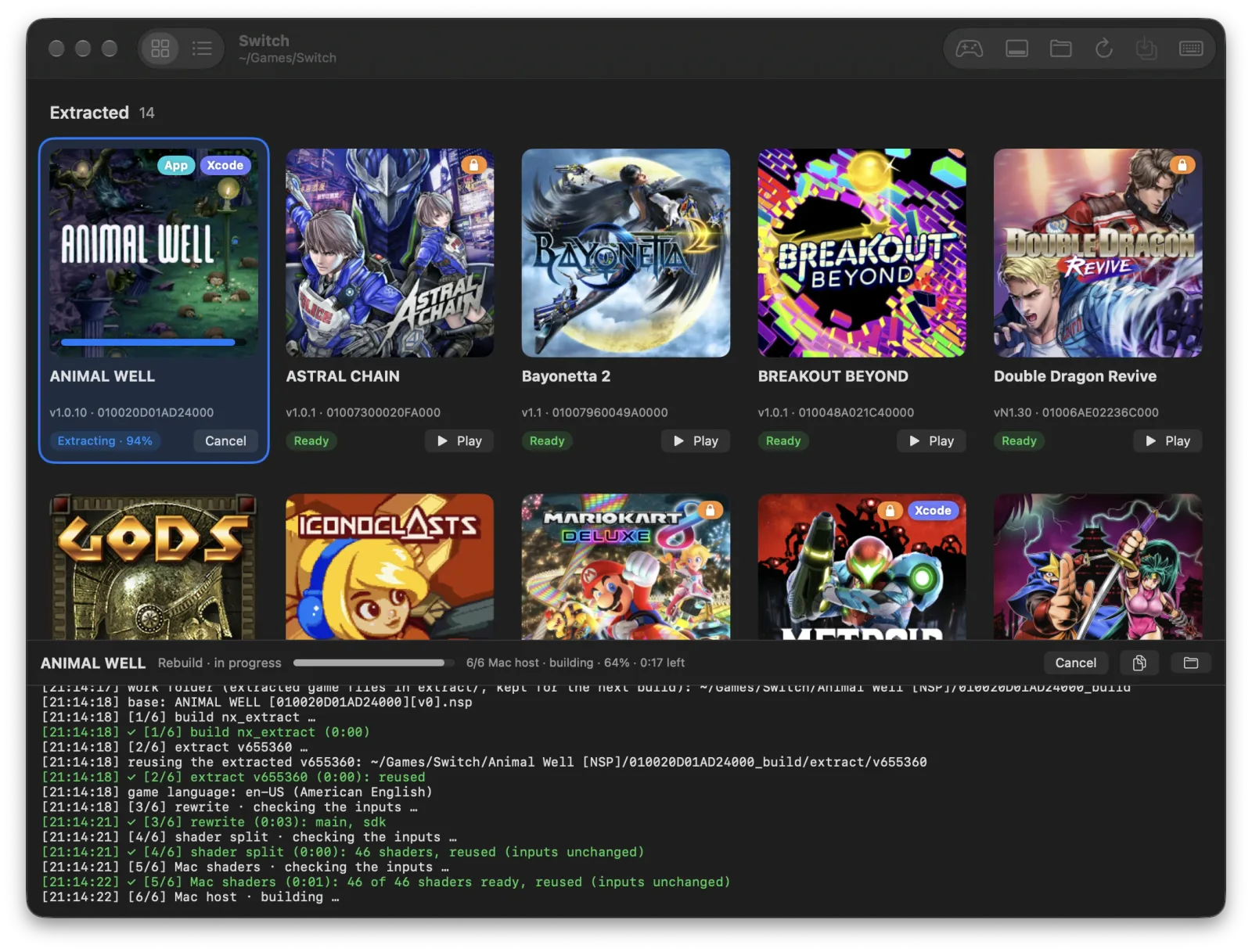
NX Play's library with a game being rebuilt and the build output below
Screenshot from the NX Play repository

NX Play

Listed by nxnative

NX Play is one Mac app for all your games, plus nxplay, the script behind it. Each game stays in its own folder with its original files, build, saves and IPA side by side. From the same window you can play a game on the Mac, install it on a connected iPhone or iPad through Xcode, build an unsigned IPA to sideload, or make a standalone Mac app with the nxnative packing script's --platform mac-app.

It can copy saves between the Mac and a device after showing which one is newer, and back saves up to your own private Git repository while you play. With Cloud saves, a game's Mac and iPhone apps play on from one save through iCloud Drive or a folder you pick. A badge on each game shows whether nxnative lists it as tested, still in bring-up or without a profile, and another counts nxnative's changes to the game's profile since your build. Before each run it pulls nxnative's latest fixes and rebuilds when they change something, unless you mark a working build with Keep This Build. Setup installs the remaining tools with Homebrew, and the app updates itself from GitHub releases.

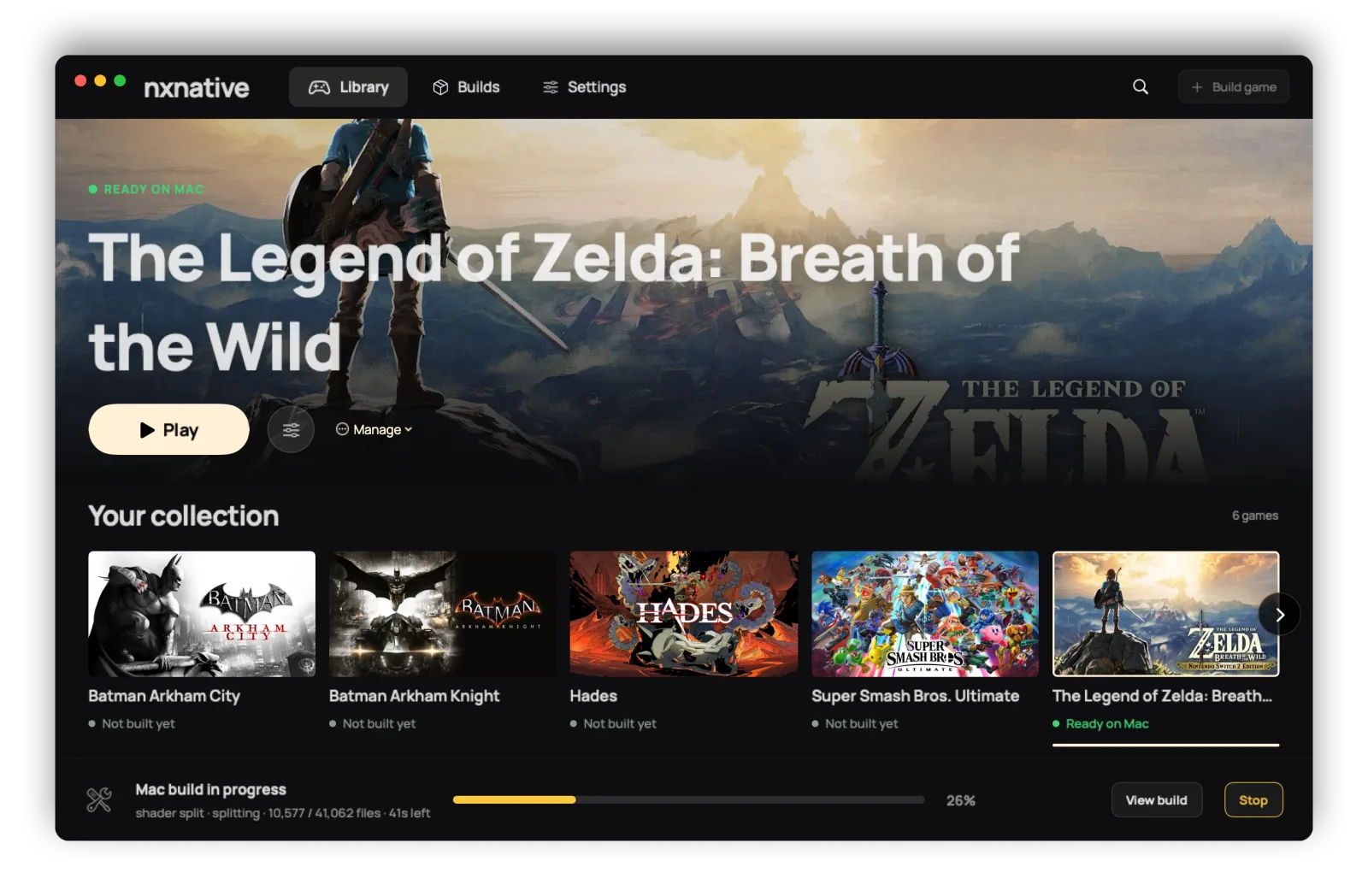
NX2Apple's launcher showing a library of built games with one build in progress
Screenshot from the NX2Apple repository

NX2Apple

Listed by nxnative

NX2Apple is a community fork of nxnative with a Mac app on top. The app runs the whole build (unpack, rewrite, shader translation, packing) in a few clicks, for This Mac or for iPhone and iPad, and keeps finished Mac games in a library that you start with Play.

The app bundles its own build tools and Python, so it needs no Homebrew or Python install; it installs the .NET SDK 10 for you, and a first-run setup walks you through Xcode, your keys and your games. Per-game launch options set the frame rate, docked or handheld mode, render scale, game language and controls, and a per-game cheats sheet manages cheat files. Saves follow a game between Mac and iPhone through one iCloud Drive folder. An iPhone game reinstalls from its last build in seconds, and a free Apple ID's 7-day signature can be renewed in place without a rebuild. The fork follows the nxnative repository daily and carries a short list of its own patches. Download the app from the repository's releases; it is not signed with a paid Apple developer certificate, so the first start needs right-click, then Open.

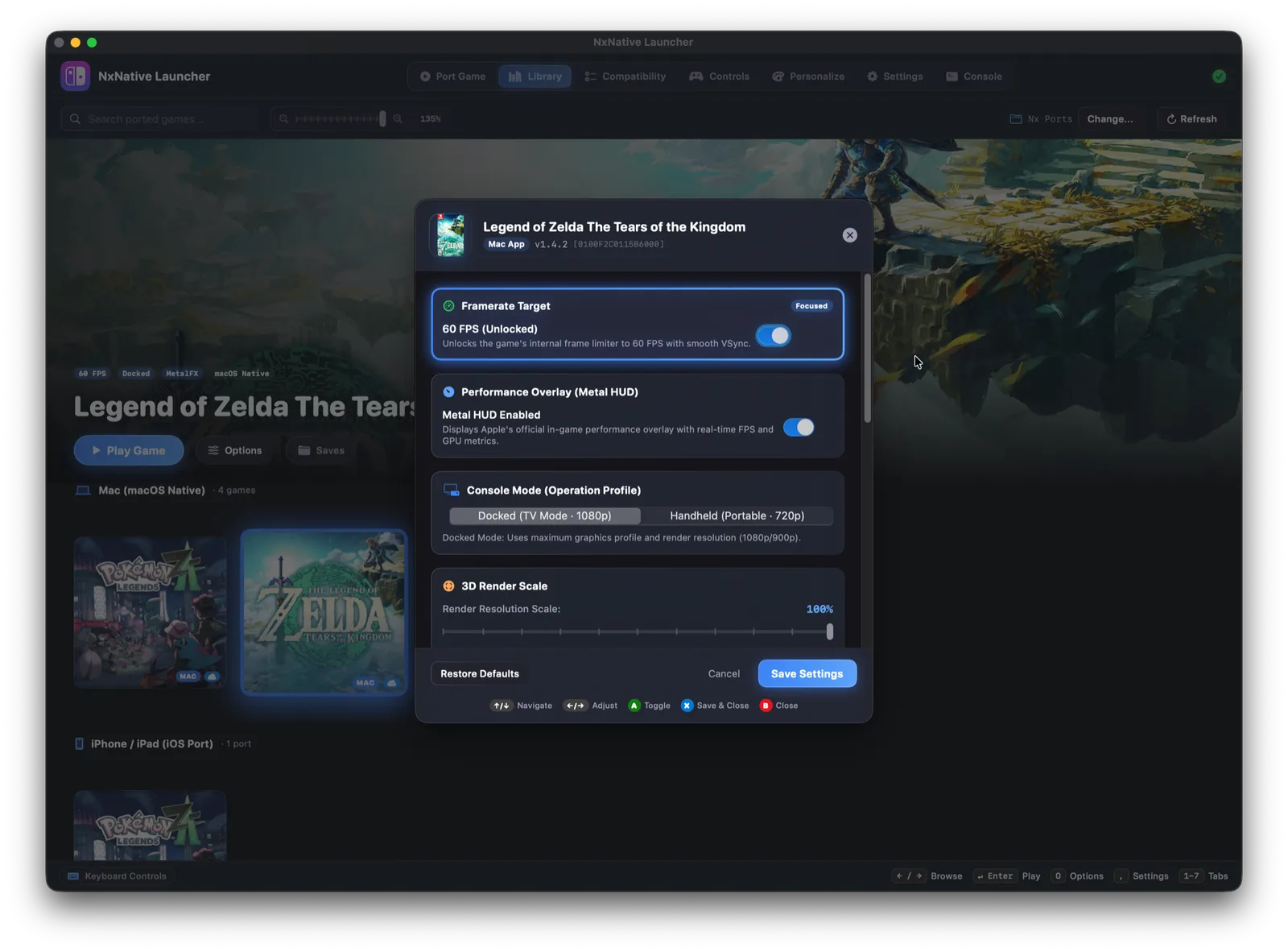
NxNative Launcher's library showing a game's details and its 60 fps option
Screenshot from the NxNative Launcher repository

NxNative Launcher

Listed by nxnative

NxNative Launcher is a console-style Mac interface for nxnative's packing pipeline. A three-step porting wizard groups a game's base, update and DLC files, then builds either a Mac app (.app) or an iOS package (.ipa), with options such as the 60 fps unlock and MetalFX upscaling.

Built games appear in a library split into Mac and iPhone / iPad shelves. You can reorder the library by dragging, and holding a controller's Home button for 3 seconds returns from a game to the launcher. The launcher adds controller and keyboard remapping, a mouse-look camera toggled with F1, save synchronisation between the Mac, iCloud Drive and connected iOS devices (iCloud sync can be turned off), custom cover art, a folder for LayeredFS mods and a UI in 14 languages. It ships its own Python and build tools, so Homebrew is optional. Download the DMG from the repository's releases.