Every fact on this page applies to update 1.6.15.13, the one version tested. Other versions may behave differently.
No emulator needed: Stardew Valley runs natively on the Apple chip. How nxnative compares with emulators
Running through nxnative
How Stardew Valley runs
Stardew Valley plays on the iPhone, and its iPhone app is tiny: when the project developers last published sizes, it came to about 0.6 GB. It needed no changes to nxnative of its own.
How it runs
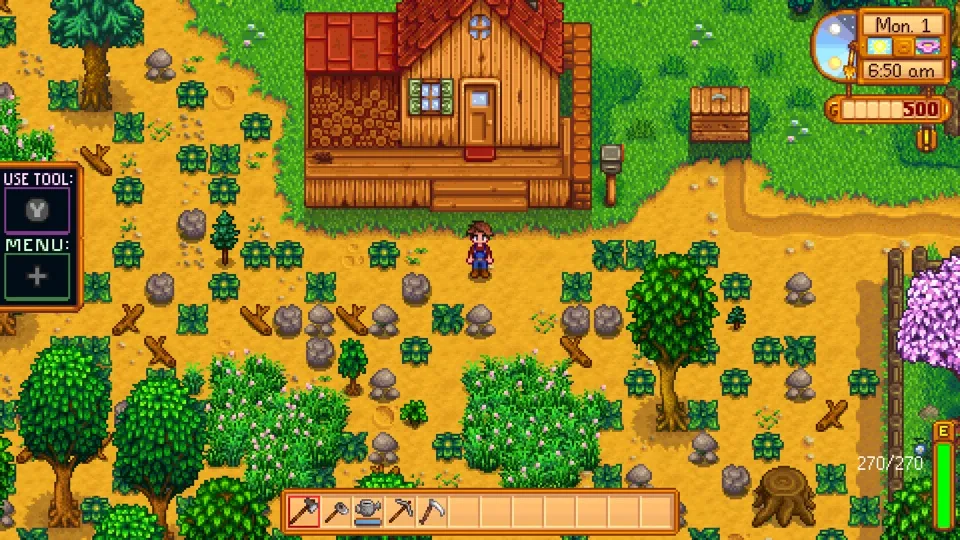
Tested on the Mac from a new farm (character creation, skipping the intro) through the farmhouse, the farm and its tools, the bus stop, and Pelican Town by day and at night. Buying something at Pierre's shop, reading the mail, sleeping a night to save and loading that save from the title all work. The game ran at 60 fps with sound, using very little power: about 8% of one CPU core. Memory stayed under 1 GB and flat.
About one frame in 800 takes a little longer, up to 47 ms. That is the game's own processing, most likely its memory cleanup, and you may notice it as a brief hitch now and then.
Controls
The game reads only buttons, not the touch screen, so the Packed app starts in the 3D touch layout: the D-pad moves through menus and the right stick moves the cursor.
- ZL and ZR change the toolbar slot, skipping empty slots.
- X opens the menu.
- Y uses the current tool.
- A checks or interacts.
The game ignores presses for about a second while a menu fades in or out. When you name your farmer and farm, a text box comes up for typing.
Good to know
- Online co-op needs a network the Packed app does not provide. Choosing it in the Co-op menu sends you back to the title.
- Tested with update 1.6.15.13. Other versions may behave differently.
Known issues
- Online co-op is not available; choosing it returns to the title.
Packing command
Run this in your nxnative folder on the Build Mac. Replace the game folder and the keys path with your own. Add --platform mac-app to get a Mac app instead of an iPhone and iPad app.
python3 scripts/build_ipa_from_nsp.py ~/Games/stardew-valley -k ~/keys/prod.keysFAQ
Does Stardew Valley work with nxnative?
Yes. Stardew Valley is tested with nxnative on update 1.6.15.13.
Which iPhone, iPad or Mac do I need to play Stardew Valley?
An iPhone 15 Pro or newer (A17 Pro chip or later) or an iPad with an M1 chip or later, on iOS or iPadOS 26 or later, or a Mac with Apple silicon. iPads with the A17 Pro chip (iPad mini) have the iPhone 15 Pro's chip but are untested by nxnative. Packing needs a Mac with macOS 26.6 or later and Xcode 27.1.
Is Stardew Valley included?
No. Neither this site nor nxnative includes any game. You Pack Stardew Valley from your own copy of the game, with keys dumped from your own Switch.
Does online play work in Stardew Valley?
Online play in Stardew Valley is not confirmed to work, so do not count on it.