Every fact on this page applies to update 1.0.0, the one version tested. Other versions may behave differently.
No emulator needed: Silver Pines runs natively on the Apple chip. How nxnative compares with emulators
Running through nxnative
How Silver Pines runs
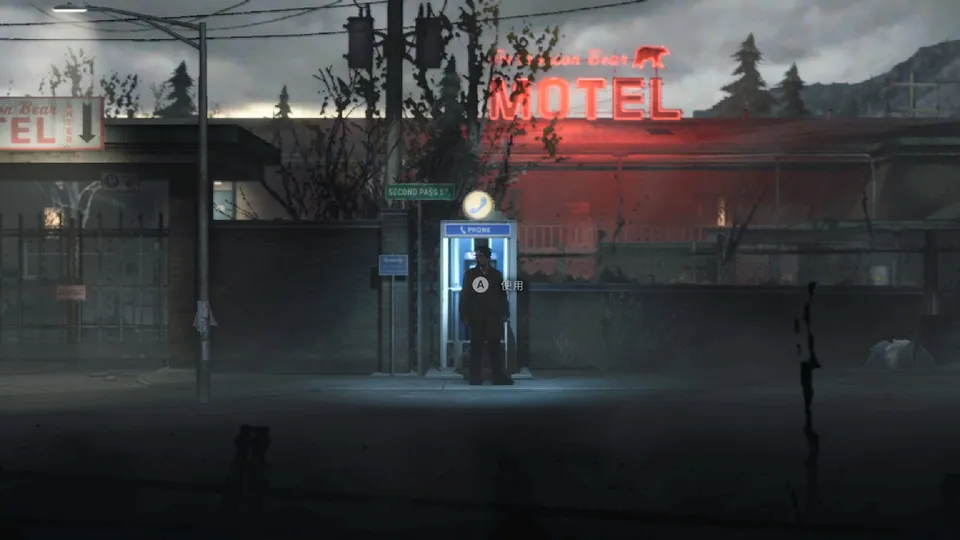
Silver Pines plays on the Mac at its own 30 fps. Tested through the logo and the animated title screen, a new game and the difficulty select, and continuing a save into the motel street at night, where the neon sign, the lit phone booth, the player and the fog all draw. An earlier session with sound and a controller went on into the diner. No iPhone app has been built yet.
How it runs
The game is built on Unity 6 with its Universal Render Pipeline. At first, the street and the diner showed nothing but fog, because a large group of the game's graphics programs wrote a kind of output Apple's Metal refused. This is now fixed in nxnative for every game, and the scenes draw in full.
The game paces itself at 30 fps. Memory settled at about 2.1 GB in the motel street and stayed flat.
Building it for the Mac
This is a heavy Game to Pack. The project developers report that a first Mac app build took about 47 minutes on an M5 Mac, most of it preparing the game's tens of thousands of graphics programs, and the resulting Mac app is about 5.9 GB. With the Mac app, all graphics are prepared ahead of time, so the first start does not stall. A plain development build without that step spends its first start preparing them.
Version
Tested with the base game, version 1.0.0.
Controls
The Packed app starts in the 2D touch layout. The title screen only appears after a button press.
Good to know
- Long play sessions with sound on this version of nxnative have not been checked.
Known issues
- It has not been tried on iPhone, and no iPhone app has been built.
Packing command
Run this in your nxnative folder on the Build Mac. Replace the game folder and the keys path with your own. Add --platform mac-app to get a Mac app instead of an iPhone and iPad app.
python3 scripts/build_ipa_from_nsp.py ~/Games/silver-pines -k ~/keys/prod.keysFAQ
Does Silver Pines work with nxnative?
Yes. Silver Pines is tested with nxnative on update 1.0.0.
Which iPhone, iPad or Mac do I need to play Silver Pines?
An iPhone 15 Pro or newer (A17 Pro chip or later) or an iPad with an M1 chip or later, on iOS or iPadOS 26 or later, or a Mac with Apple silicon. iPads with the A17 Pro chip (iPad mini) have the iPhone 15 Pro's chip but are untested by nxnative. Packing needs a Mac with macOS 26.6 or later and Xcode 27.1.
Is Silver Pines included?
No. Neither this site nor nxnative includes any game. You Pack Silver Pines from your own copy of the game, with keys dumped from your own Switch.
Does online play work in Silver Pines?
Online play in Silver Pines is not confirmed to work, so do not count on it.