Every fact on this page applies to update v196608, the one version tested. Other versions may behave differently.
No emulator needed: PRAGMATA runs natively on the Apple chip. How nxnative compares with emulators
How PRAGMATA runs
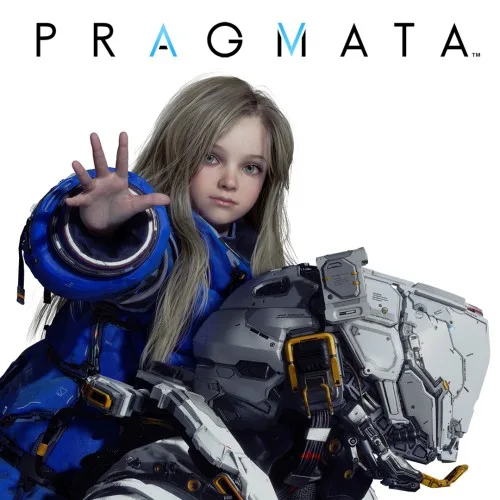
PRAGMATA plays on the Mac, tested on an M4 Pro Mac with 48 GB through the title, a new game's opening and the first rooms of the lunar station. A player has also reached the opening on an A20 Pro iPhone (12 GB) by adding a virtual-memory override in env.txt.
How it runs
A new game plays its opening on the Mac: the ship, the tower and the lunar base. With a save from those runs, the player walks through the station's first rooms.
In a 1920x1080 window on the M4 Pro, the title runs at 60 fps and walking through the station's first rooms at 44 to 52 fps over four runs, with graphics still being prepared in the background. Whether the game's own target there is 60 or 30 fps is not known. These figures come from the M4 Pro. On an M6 Mac, a fresh save ran from the first-start screens through the title into the intro on the ship.
On an A20 Pro iPhone (12 GB, iOS 27.2), startup crashed until DM_ALIAS_SIZE=42949672960 was added to Documents/env.txt to reserve 40 GiB of virtual address space. With that override, five sessions reached the opening without crashing, measuring about 30 ms median frame time (around 30 fps) and 2.8 to 3.3 GB of memory, with some judder from uneven display-link timing. In a follow-up test on iOS 27.3 beta 2 with the same override, the game stopped on a GPU out-of-memory error about seven minutes into the opening; sustained play and frame pacing on iPhone remain open.
Bring update v196608
Tested with update v196608, packed from the game's .nup file or a folder of its files, as for every Switch 2 game. The base game on its own has not been run.
Controls
The Packed app starts in the 2D touch layout (left stick, face buttons, shoulders, minus and plus). The gear at the top centre opens the in-game menu, where Controller layout switches layouts, and the app remembers your choice.
- The title comes up about 90 seconds after the game starts.
- A at the title, A on New Game, A on Standard, then left and A on Yes start a new game.
- In the station, the left stick walks.
Good to know
- Every one of the game's graphics programs now builds for the Mac. One of them used to fail, and a packed app could then lose all its prepared graphics and rebuild them on its first start.
- Packing the game without its DLC used to stop partway. That is fixed.
- Cabin's monitor face used to draw wrong, and cube maps the game reads directly came out empty. Both are fixed.
- A full Mac shader build with nothing cached took 82 minutes on the M4 Pro.
- A colour wash over the R53 hangar has a fix in nxnative, but the hangar has not been checked again.
Known issues
- On iPhone, startup crashes unless DM_ALIAS_SIZE=42949672960 is added to Documents/env.txt. With that override on an A20 Pro iPhone (12 GB), the game reached the opening, but a follow-up test on iOS 27.3 beta 2 stopped with a GPU out-of-memory error about seven minutes in; sustained play and frame pacing on iPhone remain open.
- Walking through the station's first rooms runs at 44 to 52 fps on an M4 Pro Mac, with graphics still being prepared in the background. Whether the game aims for 60 or 30 fps there is not known.
- Only the title, a new game's opening and the station's first rooms have been played: combat, later areas and long sessions are untested.
- On a first start the game prepares its graphics before the first picture; how long that takes has not been measured.
- The base game without update v196608 has not been run.
Packing command
Run this in your nxnative folder on the Build Mac. Replace the game path with your .nup file or the folder of the game's files. It builds a Mac app, the only kind tested so far; leave out --platform mac-app for an iPhone and iPad app, which is untested.
python3 scripts/build_ipa_from_nsp.py ~/Games/pragmata --platform mac-appFAQ
Does PRAGMATA work with nxnative?
Yes. PRAGMATA is tested with nxnative on update v196608.
Which iPhone, iPad or Mac do I need to play PRAGMATA?
An iPhone 15 Pro or newer (A17 Pro chip or later) or an iPad with an M1 chip or later, on iOS or iPadOS 26 or later, or a Mac with Apple silicon. iPads with the A17 Pro chip (iPad mini) have the iPhone 15 Pro's chip but are untested by nxnative. Packing needs a Mac with macOS 26.6 or later and Xcode 27.2.
Is PRAGMATA included?
No. Neither this site nor nxnative includes any game. You Pack PRAGMATA from your own copy of the game.
Does online play work in PRAGMATA?
Online play in PRAGMATA is not confirmed to work, so do not count on it.