Every fact on this page applies to update v327680, the one version tested. Other versions may behave differently.
No emulator needed: Mario Tennis Fever runs natively on the Apple chip. How nxnative compares with emulators
Running through nxnative
How Mario Tennis Fever runs
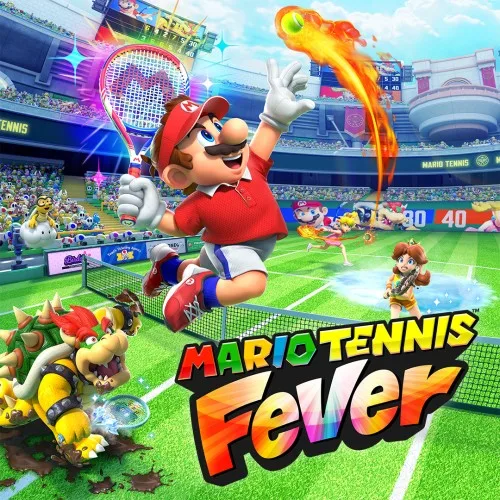
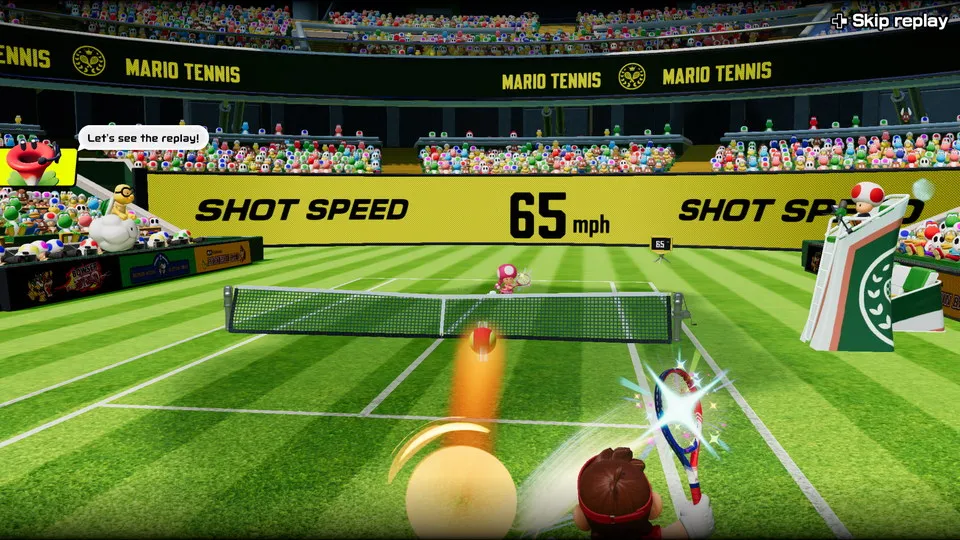
Mario Tennis Fever plays on the Mac at 60 fps. Tested on an M4 Pro Mac through the title movie, the practice, the main menu, Adventure's opening story, and a Free Play singles match on Stadium Court (Grass) with real rallies. No iPhone or iPad app has been built yet.
How it runs
In a rally the median frame time is 16.6 to 17.2 ms, about 60 fps, with most frames under about 18 ms. A few single frames take 90 to 140 ms.
The tall grass on grass courts and the sea of clouds are not drawn, so grass courts look flat; the court's own texture and stripes still show. One crowd effect is also skipped, though the crowd still draws. Movies play.
Nothing past the first Adventure scenes and one Free Play match has been played: no other court, doubles or online modes. Whether the game runs at the same speed as on the Switch 2 has not been checked.
Bring update v327680
Tested with update v327680 (version 1.1.1) over the base game, packed from a folder of the game's files. The Packed app shows v327680, because the files carry no display version.
Controls
The Packed app starts in the 3D touch layout, because the game uses most of the controller.
- With no save, press A to go from the title movie into the practice, then Plus twice to leave it for the main menu.
- The left stick moves through the menus. In a match, A tosses the ball and hits.
Good to know
- A full Mac shader build takes about an hour on an M4 Pro.
Known issues
- Grass on grass courts and the sea of clouds are not drawn, so grass courts look flat.
- One crowd effect is skipped; the crowd still draws.
- A few single frames take 90 to 140 ms.
- Only the first Adventure scenes and one Free Play singles match have been played: other courts, doubles and online modes are untested.
- Whether the game runs at the same speed as on the Switch 2 has not been checked.
- No iPhone or iPad app yet: the game needs more memory address space than iOS allows for now.
Packing command
Run this in your nxnative folder on the Build Mac. Replace the game path with your .nup file or the folder of the game's files. It builds a Mac app, the only kind tested so far; leave out --platform mac-app for an iPhone and iPad app, which is untested.
python3 scripts/build_ipa_from_nsp.py ~/Games/mario-tennis-fever --platform mac-appFAQ
Does Mario Tennis Fever work with nxnative?
Yes. Mario Tennis Fever is tested with nxnative on update v327680 and runs at 60 fps.
Which iPhone, iPad or Mac do I need to play Mario Tennis Fever?
Mario Tennis Fever is a Nintendo Switch 2 Game. So far it has been tested on the Mac only, which needs Apple silicon; an iPhone and iPad app can be packed but is untested. Packing needs a Mac with macOS 26.6 or later and Xcode 27.2.
Is Mario Tennis Fever included?
No. Neither this site nor nxnative includes any game. You Pack Mario Tennis Fever from your own copy of the game.
Does online play work in Mario Tennis Fever?
Online play in Mario Tennis Fever is not confirmed to work, so do not count on it.