Every fact on this page applies to update 1.25.0, the one version tested. Other versions may behave differently.
No emulator needed: Dead Cells runs natively on the Apple chip. How nxnative compares with emulators
Running through nxnative
How Dead Cells runs
Dead Cells plays on the Mac at 60 fps, with sound and saves. No iPhone app has been built yet.
How it runs
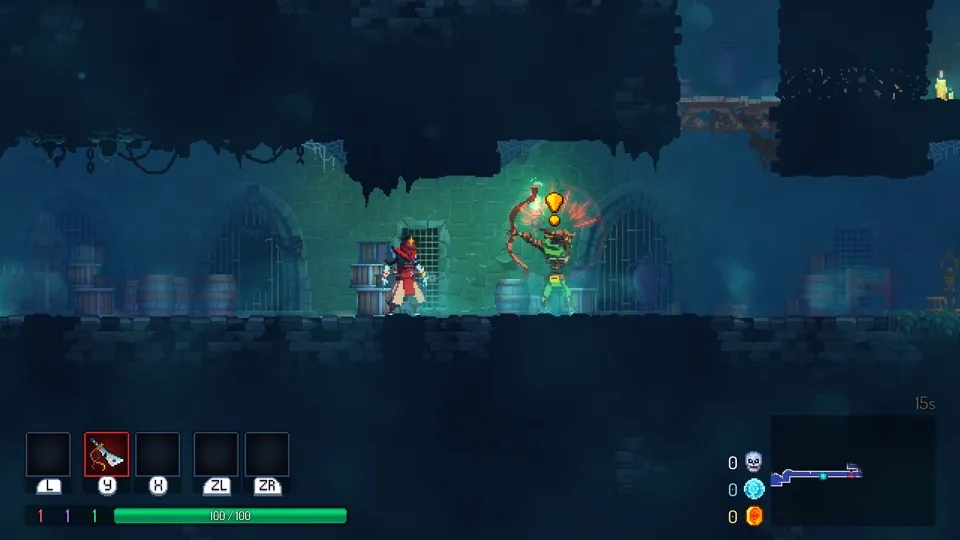
On an Apple M6 Mac, testing went through the title and menus, a new game and the first rooms of the Prisoners' Quarters: the first character's dialogue, picking up items, doors, double jumps and ledge grabs, attacks, taking hits from a zombie and an archer, dying and returning to the start. A second launch offered to continue and loaded the saved run. In four runs, the longest about 8 minutes, the game did not crash and held 60 fps, with a brief slowdown only at a load.
The game asks for 60 fps itself, so nxnative needs no frame-rate change for it. Memory use levelled off at about 2.6 to 2.7 GB on the Mac, which is high for an iPhone, so memory is the first thing to watch there.
Bring update 1.25.0
Tested with update 1.25.0, which the title screen shows as version 35, "The End Is Near". Put it in the same folder as the base game before you Pack. The five add-on content packages are licences only; the game needs no extra files from them.
Controls
The Packed app starts in the 2D touch layout. B jumps (press it twice to double jump), Y attacks, R opens doors and picks up items, and holding B skips dialogue.
Good to know
- No enemy has been seen dying yet: attacks play and enemies hurt you, but a kill is not confirmed.
- Enemies away from the fight draw as soft, bright yellow-green silhouettes. It looks like the game's own effect, but it has not been compared with a Switch.
- Nothing past the first rooms has been tested: no later biome or boss.
- Tested on update 1.25.0. Other versions may behave differently.
Known issues
- No iPhone app has been built or tested yet.
- Killing an enemy is not confirmed to work yet.
- Distant enemies draw as soft yellow-green glowing silhouettes; whether the Switch shows the same has not been checked.
- Later biomes and bosses are untested.
Packing command
Run this in your nxnative folder on the Build Mac. Replace the game folder and the keys path with your own. Add --platform mac-app to get a Mac app instead of an iPhone and iPad app.
python3 scripts/build_ipa_from_nsp.py ~/Games/dead-cells -k ~/keys/prod.keysFAQ
Does Dead Cells work with nxnative?
Yes. Dead Cells is tested with nxnative on update 1.25.0.
Which iPhone, iPad or Mac do I need to play Dead Cells?
An iPhone 15 Pro or newer (A17 Pro chip or later) or an iPad with an M1 chip or later, on iOS or iPadOS 26 or later, or a Mac with Apple silicon. iPads with the A17 Pro chip (iPad mini) have the iPhone 15 Pro's chip but are untested by nxnative. Packing needs a Mac with macOS 26.6 or later and Xcode 27.2.
Is Dead Cells included?
No. Neither this site nor nxnative includes any game. You Pack Dead Cells from your own copy of the game, with keys dumped from your own Switch.
Does online play work in Dead Cells?
Online play in Dead Cells is not confirmed to work, so do not count on it.