Every fact on this page applies to update 1.1.0, the one version tested. Other versions may behave differently.
No emulator needed: The Rogue Prince of Persia runs natively on the Apple chip. How nxnative compares with emulators
Running through nxnative
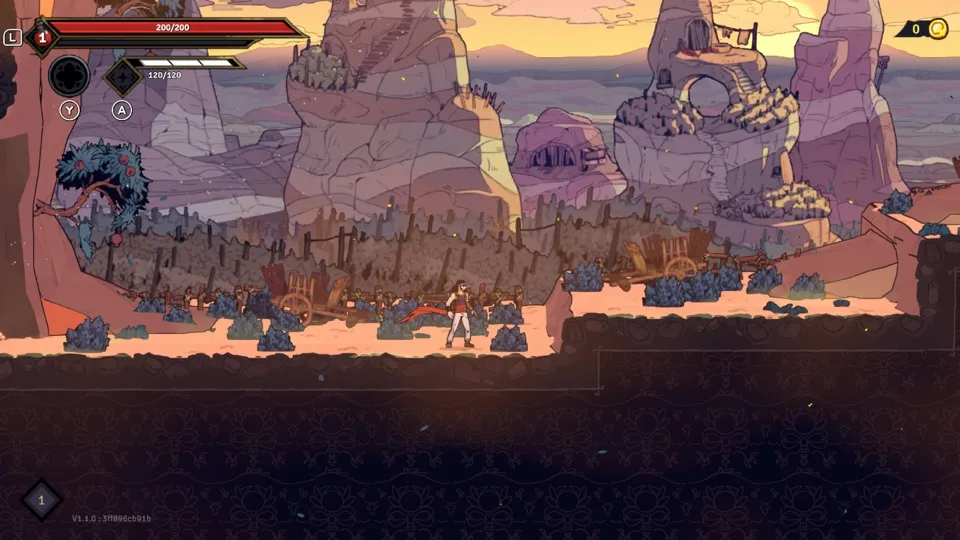
How The Rogue Prince of Persia runs
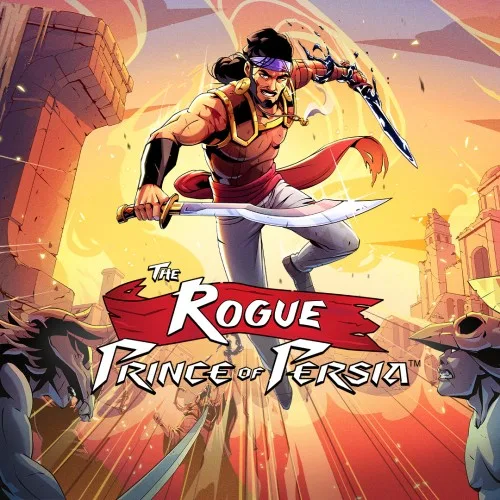
The Rogue Prince of Persia plays on the Mac at 60 fps, up from the 30 fps it has on the Switch, and up to 120 fps on a screen that shows 120 Hz. Tested through its first level. It has not been run on an iPhone or iPad yet.
How it runs
On the Mac, play ran through the title, the first-run options, the save slots, the opening narration, the intro movie with picture and sound, and the first level. Running, jumping, climbing, the weapon, the wall run and the pause menu all work. No enemy turned up, so combat is still untested.
Frames run at 60 fps by default, and the Frame rate setting on the Mac also offers 120 fps on a screen that shows 120 Hz: the game held 120 through the title, the opening and the first level, and the intro movie plays at 60. nxnative sets the game's own frame rate settings, and the game keeps its speed: a timed walk from the same save ended at the same spot at 30 and 60 fps, and a tester who played at 120 found the speed right. For the Switch's 30 fps, set DM_FPS_TARGET=30 in the app's env.txt file.
In the first level, memory use stayed flat at about 2.47 GB, plus 0.90 GB of graphics memory. Later biomes have not been measured.
Bring update 1.1.0
Tested with update 1.1.0. Put the update in the same folder as the base game before you Pack. The base game without the update has not been played.
Controls
The Packed app starts in the 2D touch layout. As the pause menu's Options, Controls screen lists them, B jumps, Y uses the weapon, A the tool, ZR dashes and vaults, ZL wall-runs, X kicks, L heals, R interacts, Minus opens the bag and Plus pauses. To grab a ledge, hold B with the direction; ZL with a jump against a wall clings to it.
Good to know
- Testing drove the game with scripted input only, not a controller or keyboard.
- Tested with update 1.1.0. Other versions may behave differently.
Known issues
- No iPhone or iPad app has been built or tested yet.
- No enemy was met in testing, so combat, taking damage and death have not been checked at any frame rate, nor later biomes or the end of a run.
- 60 and 120 fps have been tested on the Mac only.
- The title screen and the menus before the opening narration had no sound in testing.
Packing command
Run this in your nxnative folder on the Build Mac. Replace the game folder and the keys path with your own. It builds a Mac app, the only kind tested so far; leave out --platform mac-app for an iPhone and iPad app, which is untested.
python3 scripts/build_ipa_from_nsp.py ~/Games/the-rogue-prince-of-persia -k ~/keys/prod.keys --platform mac-appFAQ
Does The Rogue Prince of Persia work with nxnative?
Yes. The Rogue Prince of Persia is tested with nxnative on update 1.1.0. On a Mac it runs at up to 120 fps on a screen that shows 120 Hz, with no particular update needed.
Which iPhone, iPad or Mac do I need to play The Rogue Prince of Persia?
So far The Rogue Prince of Persia has been tested on the Mac only, which needs Apple silicon. An iPhone and iPad app can be packed but is untested. Packing needs a Mac with macOS 26.6 or later and Xcode 27.2.
Is The Rogue Prince of Persia included?
No. Neither this site nor nxnative includes any game. You Pack The Rogue Prince of Persia from your own copy of the game, with keys dumped from your own Switch.
Does online play work in The Rogue Prince of Persia?
Online play in The Rogue Prince of Persia is not confirmed to work, so do not count on it.