Every fact on this page applies to update v131072, the one version tested. Other versions may behave differently.
No emulator needed: Star Fox runs natively on the Apple chip. How nxnative compares with emulators
Running through nxnative
How Star Fox runs
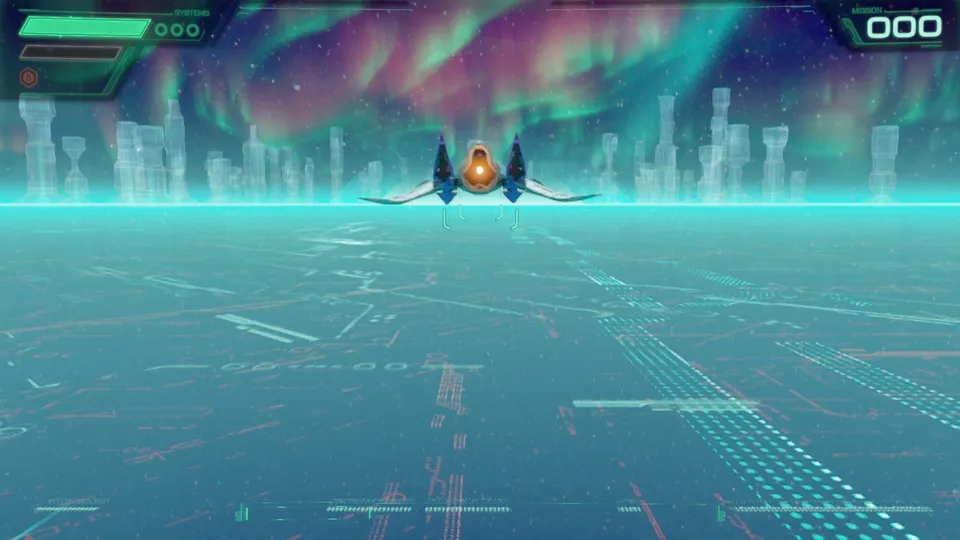
Star Fox plays on the Mac at 60 fps, with sound, tested on an M4 Pro Mac with 48 GB through the title, the prologue cinematic and the start of the tutorial flight. No iPhone or iPad app has been built yet.
How it runs
The tutorial flight runs at 60 fps on the tested Mac. The prologue cinematic runs at 30 fps, which looks like the game's own choice, though that has not been checked.
The 3D picture is drawn at 768x432, then the game's own upscaling takes it to 1536x864 for the screen. That is the lowest resolution the game's settings allow, and why it stays there is not yet known, nor whether the Switch 2 does the same.
Scripted presses reached the tutorial's first lesson and worked its options menus. Flying with a player's input has not been watched on this Mac; a contributor reports flying for 7 minutes with a controller on an M5 Max.
Memory came to about 8.5 GB through the start of the tutorial.
Bring update v131072
Tested with update v131072, packed from the game's .nup file, which holds the base game and the update. The base game on its own has not been run.
Controls
The Packed app starts in the 3D touch layout.
- The title comes up about 40 seconds after the game starts; A starts the game.
- The prologue cinematic follows, about 4 minutes each time. Skipping it has not been tried.
- At the tutorial's first question, Down on the left stick and A answers no.
Good to know
- In testing, the save held no progress yet, so the prologue cinematic played on every run.
Known issues
- No iPhone or iPad app has been built or tested yet.
- Only the title, the prologue cinematic and the start of the tutorial flight have been tested; later levels and combat are untested.
- The 3D picture renders at 768x432 before the game's upscaling, and why it stays that low is not yet known.
- The Packed app has no icon, and its version shows as v131072.
- The base game without the update has not been run.
Packing command
Run this in your nxnative folder on the Build Mac. Replace the game path with your .nup file or the folder of the game's files. It builds a Mac app, the only kind tested so far; leave out --platform mac-app for an iPhone and iPad app, which is untested.
python3 scripts/build_ipa_from_nsp.py ~/Games/star-fox --platform mac-appFAQ
Does Star Fox work with nxnative?
Yes. Star Fox is tested with nxnative on update v131072 and runs at 60 fps.
Which iPhone, iPad or Mac do I need to play Star Fox?
Star Fox is a Nintendo Switch 2 Game. So far it has been tested on the Mac only, which needs Apple silicon; an iPhone and iPad app can be packed but is untested. Packing needs a Mac with macOS 26.6 or later and Xcode 27.2.
Is Star Fox included?
No. Neither this site nor nxnative includes any game. You Pack Star Fox from your own copy of the game.
Does online play work in Star Fox?
Online play in Star Fox is not confirmed to work, so do not count on it.