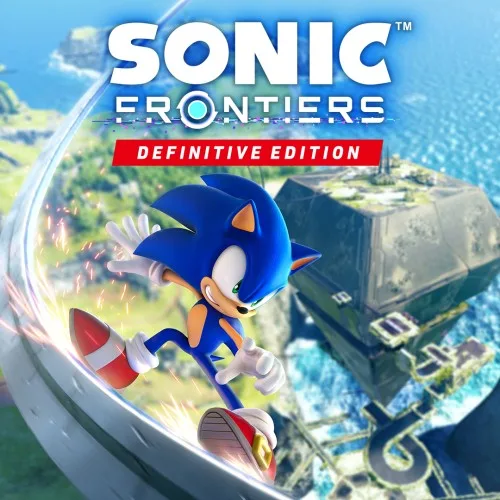
Every fact on this page applies to update v65536, the one version tested. Other versions may behave differently.
No emulator needed: Sonic Frontiers Definitive Edition runs natively on the Apple chip. How nxnative compares with emulators
How Sonic Frontiers Definitive Edition runs
Sonic Frontiers Definitive Edition plays on the Mac at 60 fps, tested on an M6 Mac with 16 GB through the logos, the title, a new game's intro cutscene and the first Cyber Space stage, run through with rings picked up. No iPhone or iPad app has been built yet.
How it runs
The title and the first Cyber Space stage run at 60 fps (a median frame of 16.67 ms). The logos and the intro cutscene run at 30 fps, which the game sets for them. The game used about 1.4 GB of memory in the stage.
Shadowed grass, cliffs and Sonic in the first Cyber Space stage, once drawn nearly black, are now lit as on the Switch.
Bring update v65536
Tested with update v65536 (1.0.0 on the title screen). Other versions have not been tested.
Controls
The Packed app starts in the 2D touch layout.
- The title comes up about 50 seconds after the game starts, with New Game first.
- A (New Game), A (Normal) and A (Action style) start the intro cutscene. Holding A at its Skip prompt goes to the first Cyber Space stage after a few seconds of loading.
- Up on the left stick runs and A jumps.
Good to know
- The first Mac build takes about 7 minutes on the tested Mac, 3 of them for the game's graphics programs.
- The project developers are waiting for a longer run before adding the game to their list of games that passed Mac gameplay testing.
Known issues
- No iPhone or iPad app has been built or tested yet, and the game's memory needs have not been checked against an iPhone's.
- Played with scripted input only.
- Only the start of the game has been played: the open zones, the Cyber Space stages after the first, combat, bosses, the movies, the sound by ear, the other languages and the Definitive Edition's added content are untested.
Packing command
Run this in your nxnative folder on the Build Mac. Replace the game path with your .nup file or the folder of the game's files. It builds a Mac app, the only kind tested so far; leave out --platform mac-app for an iPhone and iPad app, which is untested.
python3 scripts/build_ipa_from_nsp.py ~/Games/sonic-frontiers-definitive-edition --platform mac-appFAQ
Does Sonic Frontiers Definitive Edition work with nxnative?
Yes. Sonic Frontiers Definitive Edition is tested with nxnative on update v65536 and runs at 60 fps.
Which iPhone, iPad or Mac do I need to play Sonic Frontiers Definitive Edition?
Sonic Frontiers Definitive Edition is a Nintendo Switch 2 Game. So far it has been tested on the Mac only, which needs Apple silicon; an iPhone and iPad app can be packed but is untested. Packing needs a Mac with macOS 26.6 or later and Xcode 27.2.
Is Sonic Frontiers Definitive Edition included?
No. Neither this site nor nxnative includes any game. You Pack Sonic Frontiers Definitive Edition from your own copy of the game.
Does online play work in Sonic Frontiers Definitive Edition?
Online play in Sonic Frontiers Definitive Edition is not confirmed to work, so do not count on it.