Every fact on this page applies to update v458752, the one version tested. Other versions may behave differently.
No emulator needed: Donkey Kong Bananza runs natively on the Apple chip. How nxnative compares with emulators
Running through nxnative
How Donkey Kong Bananza runs
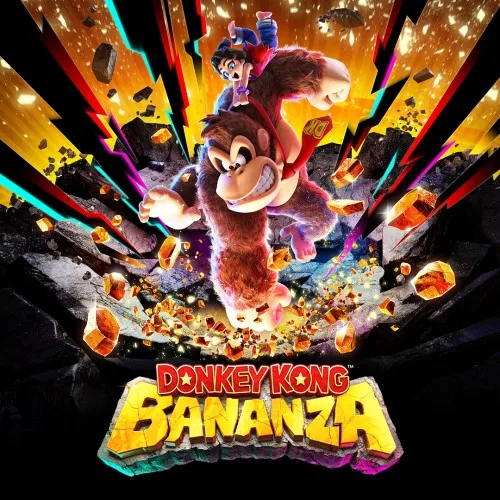
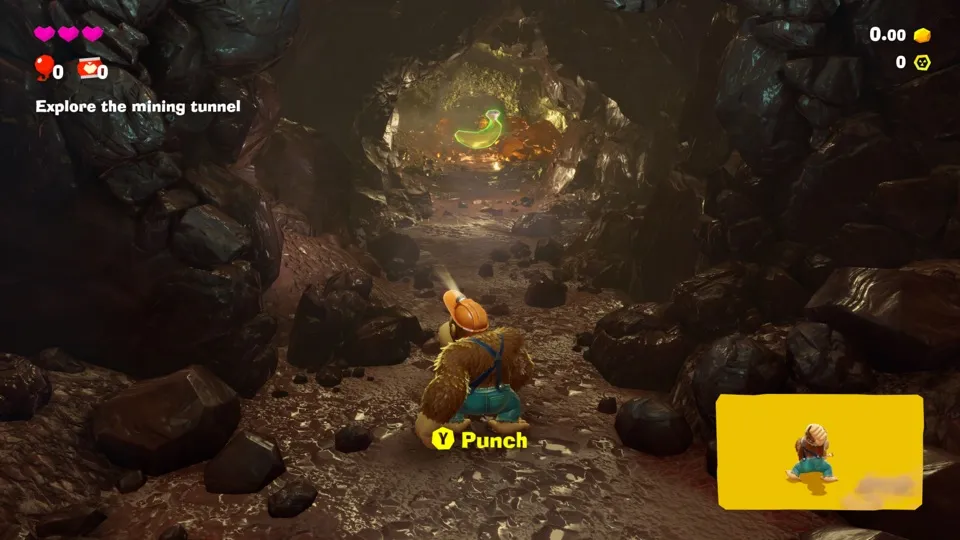
Donkey Kong Bananza plays on the Mac at 60 fps, tested on an M4 Pro Mac through the opening, the mining tunnel and the areas after it, with the guide movies playing in their panel. Nothing past the first level's opening areas has been tested. No iPhone or iPad app has been built yet.
How it runs
On the Mac, three play sessions of about 5 minutes each and scripted runs of up to 15,900 frames went through the opening, the mining tunnel and the areas after it at 60 fps. The tunnel's walls, floor and lit passage look as they do in a capture of the same spot from the console. Nothing past the tunnel's first minute has been compared.
The game picks its own frame rate. In busy scenes it drops itself to 30 fps for a few seconds, and its cutscenes run at the 20 fps it chooses for them. Entering a level still has one hitch of about a quarter of a second.
The very first start builds the game's graphics pipelines for about 4 minutes, once. A full shader build from an empty cache took about 75 minutes on the Mac.
Bring update v458752
Tested with update v458752 over the base game, together with the game's add-on content. It was packed from a folder of the game's files. Other versions have not been tested.
Controls
The Packed app starts in the 3D touch layout.
Good to know
- An app packed from a folder of the game's files has no icon, because such a folder has no control data.
- The game's own upscaler can be swapped for MetalFX's spatial scaler, which costs less on the GPU, when you pick it.
Known issues
- Only the opening, the mining tunnel and the areas just after it have been tested; nothing past the first level's opening areas.
- No iPhone or iPad app has been built or tested yet.
- In busy scenes the game drops itself to 30 fps for a few seconds.
- Entering a level still has one hitch of about a quarter of a second.
- An app packed from a folder of the game's files has no icon.
Packing command
Run this in your nxnative folder on the Build Mac. Replace the game path with your .nup file or the folder of the game's files. It builds a Mac app, the only kind tested so far; leave out --platform mac-app for an iPhone and iPad app, which is untested.
python3 scripts/build_ipa_from_nsp.py ~/Games/donkey-kong-bananza --platform mac-appFAQ
Does Donkey Kong Bananza work with nxnative?
Yes. Donkey Kong Bananza is tested with nxnative on update v458752 and runs at 60 fps.
Which iPhone, iPad or Mac do I need to play Donkey Kong Bananza?
Donkey Kong Bananza is a Nintendo Switch 2 Game. So far it has been tested on the Mac only, which needs Apple silicon; an iPhone and iPad app can be packed but is untested. Packing needs a Mac with macOS 26.6 or later and Xcode 27.2.
Is Donkey Kong Bananza included?
No. Neither this site nor nxnative includes any game. You Pack Donkey Kong Bananza from your own copy of the game.
Does online play work in Donkey Kong Bananza?
Online play in Donkey Kong Bananza is not confirmed to work, so do not count on it.